
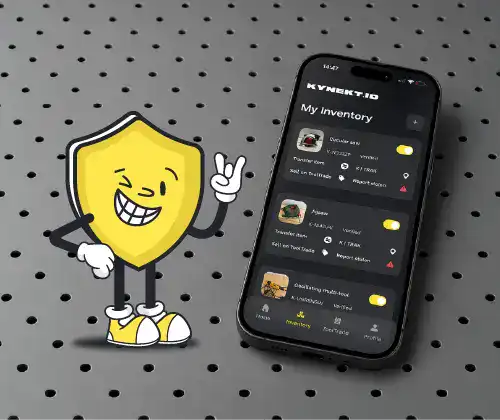

Recording and tracking tools have always been a challenge for teams and site workers. Tools are shared, moved, borrowed, and sometimes lost. There is often no record to show who last had them and where they are. Understanding how to use KYNEKT.ID provides a practical solution to this growing problem.
KYNEKT.ID is a digital record-keeping solution that enables tools to be logged, tracked, and managed responsibly through a digital solution. This guide will explain the use of KYNEkT.ID, such as the process of adding tools to the app and the best method for setting up tool tracking software to mirror real-world usage.
What Is KYNEKT.ID and How Does It Help Track Tools?
KYNEKT.ID is a digital platform designed to give tools a verified identity. Tools no longer have to exist simply as physical entities. With KYNEKT.ID tools can be logged digitally and have their ownership tracked. This creates a digital tool register that can be accessed whenever needed.
When users log tools in KYNEKT.ID, they generate a secure record with identifiers such as the type, serial number, and owner of the tool. Records like these strengthen the proof of ownership and assist in the recovery of tools if they are lost or stolen. Instead of static lists, KYNEKT.ID provides users with easily accessible, organised records of tools.
Why Tool Tracking Matters in Construction and Field Teams
Tools are always moving, whether it is between sites, vehicles, storage units, or people. When tools go missing, the result is more than just the cost of replacement. Lost tools can bring work to a standstill and divert the schedule from what is planned. It is also a problem when there is no documentation to show what is owned and no reliable record for insurance to cover the lost tools.
Digital tool tracking provides a solution for this problem. When tools are properly logged, keeping track of what a team possesses, the location of tools, and who is in charge of each tool is simplified. This is what KYNEKT.ID tool tracking is meant for- help turn tracking tools into something more than an administrative burden.
How to Use KYNEKT.ID for Tool Management
Your perception of tools will be changed after usingKYNEKT.ID. Tools used to be treated like they “floated around” with no accountability. KYNEKT.ID follows a structured approach by linking each tool to an individual or an organisation.
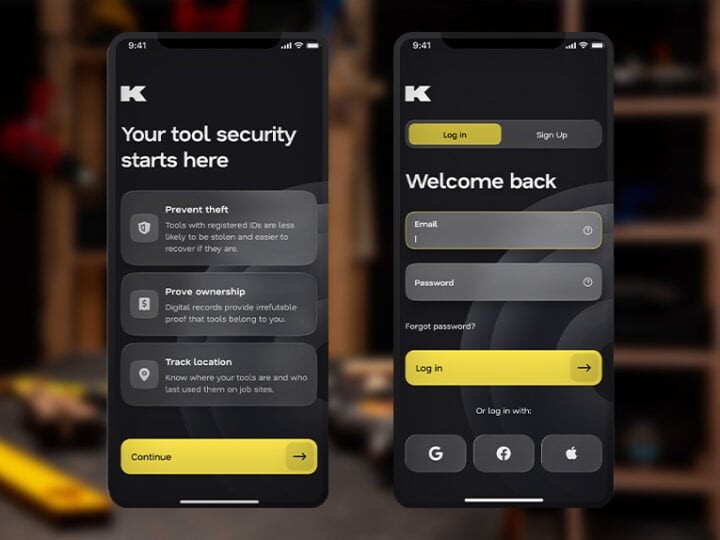
Users can build a digital record by adding their tools to the app. The system serves as the main point of reference for them once they log in. Users can check their records instead of going through the hassle of searching paperwork or depending on their memory. They can track their tools and disable them remotely if stolen or lost. The app also helps keep the inventory up-to-date so that the user is always ready for work.
How Do I Add My Tools to the KYNEKT.ID App?
How to add tools to the KYNEKT.ID app is one of the most commonly asked questions. To add tools, users must start from creating a digital entry. This usually involves choosing the type of tool and filling in the details that identify it, like its serial number, and specifying who it belongs to. Users can strengthen the record by adding a picture or a document.
Once saved, the tool becomes a part of the user’s Digital Tool Register. From that moment, it becomes a verified digital asset in addition to just being a physical tool. This makes it easier to be referenced, managed, and protected.
The most important part is being accurate and detailed from the beginning. Once tools get logged, they can reliably help identify the tool when it’s most needed.
Tool Tracking Software Setup: Getting Started with KYNEKT.ID
Tool tracking software setup is often considered difficult. But this is not the case with KYNEKT.ID, as it is highly targeted towards simplicity and ease of use.
The first steps usually involve creating an account and defining ownership. Once that is complete, tools can either be added one by one or imported in sets, depending on how many there are. This lets the user control how much work they have in a given amount of time and gives them the flexibility to decide how quickly they want to build their register.
Once everything is set up, it’s time to look at maintenance. Keeping your records up to date is vital. When tools are added, moved, or reassigned, updating the register helps to keep things accurate. Because KYNEKT.ID is centered on actual use, it is updated in real time.
This makes KYNEKT.ID more of a functioning system for managing inventories, rather than a dead system for storing information.
How to Track Construction Tools Digitally with KYNEKT.ID
Digitally tracking construction tools is more than just writing down what is on-site; it is about visibility, accountability, and ownership. With KYNEKT.ID, you can track all of these by connecting individual tools to an ownership record.
When tools are recorded, they are no longer anonymous objects on site. It makes it easier to manage the BYO (Bring Your Own) responsibility of tools, which helps reduce disputes and control across teams and multiple sites.
Then, digital tracking helps with insurance and recovery. If a tool is lost or stolen, you can prove ownership in a quick and easy way. This way, over time, it helps to improve the management of tool inventories and lowers the risk of losing operational equipment.
Conclusion
Using KYNEKT.ID goes beyond implementing new software. It’s about shifting your mindset on how tools are logged. By digital logging, users are leaving behind the arbitrary and informal system, moving instead to an actual system. With KYNEKT.ID, losing track of tools is not an option; the system is meticulous and dependable.